What is web development?
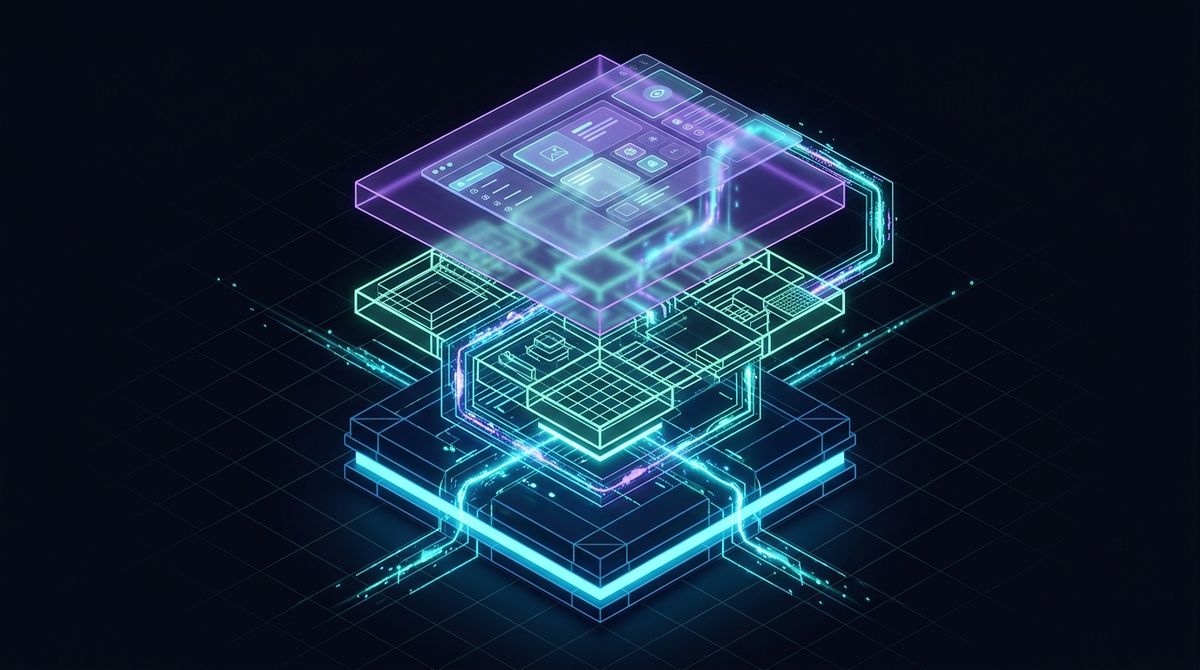
Web development is the process of building and maintaining websites. It combines front-end development, which shapes what users see and interact with, and back-end development, which handles the server-side logic, databases, and application infrastructure that powers everything behind the scenes.
Every website you visit, from a simple blog to a complex e-commerce platform, is the result of web development work. It’s a broad discipline, and understanding its fundamentals is useful whether you’re a business owner evaluating a project or someone considering a career in the field.
Why web development matters
A well-built website is one of the most valuable assets a business or organisation can have, for several reasons.
- Online presence: A website lets you reach customers, clients, or supporters at any time, from anywhere in the world. Without one, you’re effectively invisible to a large portion of your potential audience.
- Accessibility: Users can access your information, make purchases, or get in touch without needing to visit you in person. That convenience directly affects how many people engage with your business.
- Customer engagement: A functional, well-designed site gives users a place to interact with your brand by submitting enquiries, reading content, leaving reviews, or completing transactions.
- Brand building: Your website is often the first impression a potential customer has of your business. A professional, consistent site builds trust and reinforces your brand identity.
- Competitive advantage: Businesses with well-built websites consistently outperform those without one, or those with outdated, poorly functioning sites.
- Scalability: A properly built website can grow with your business, adding new pages, features, or integrations as your needs evolve.
Web development basics
HTML, CSS, and JavaScript
These three technologies form the foundation of every website on the internet.
HTML (HyperText Markup Language) defines the structure and content of a web page. It tells the browser what elements exist on the page (headings, paragraphs, images, links, forms) and how they relate to each other.
CSS (Cascading Style Sheets) controls how those elements look. Typography, colors, spacing, layout, and responsive behavior are all handled through CSS. Modern CSS, combined with tools like Flexbox and CSS Grid, gives developers precise control over how a site appears across different screen sizes.
JavaScript adds interactivity and dynamic behavior. Dropdown menus, form validation, image sliders, real-time updates, and complex single-page applications are all built with JavaScript. It is the only programming language that runs natively in the browser, which is why it remains a requirement for front-end development.
Content management systems (CMS)
A content management system is software that lets users create, edit, and publish website content without writing code directly. Instead of editing HTML files, users work through a visual interface, adding blog posts, updating pages, or uploading images through a dashboard.
Popular CMS platforms include WordPress, which powers a significant portion of the web, as well as Drupal, Joomla, and headless CMS options like Sanity and Contentful. Each has different strengths depending on the type of site and the level of technical control required.
For businesses that need to update content regularly without relying on a developer for every change, a CMS is often the right choice.
Types of web development
Front-end development
Front-end development covers everything a user sees and interacts with directly. Front-end developers translate designs into working interfaces using HTML, CSS, and JavaScript.
Key tools and technologies in front-end development include:
- CSS frameworks: Tailwind CSS is the dominant choice for modern projects, offering a utility-first approach that gives developers fine-grained control. Bootstrap remains widely used for its ready-made components.
- JavaScript frameworks and libraries: React is the most widely adopted for building complex user interfaces. Vue.js and Angular are also popular depending on the project’s requirements.
- CSS preprocessors: Sass and Less extend CSS with variables, nesting, and functions, making stylesheets easier to maintain on larger projects.
- Code editors: Visual Studio Code is the industry standard. Sublime Text remains a solid lightweight option, and newer editors like Zed and Cursor are worth a look if you want something built around speed or AI assistance.
Back-end development
Back-end development handles the server-side logic that makes a website function. When you submit a contact form, log in to an account, or complete a purchase, the back end is processing that request, querying a database, and returning a response.
Key tools and technologies in back-end development include:
- Server-side languages: PHP, Python, Node.js, and Ruby are all widely used. The right choice depends on the project’s requirements and the expertise of whoever maintains the code.
- Frameworks: Laravel (PHP), Django (Python), Express.js (Node.js), and Ruby on Rails each provide structure and built-in tools that speed up development.
- Databases: MySQL and PostgreSQL are relational databases suited to structured data. MongoDB is a popular NoSQL option for more flexible data structures.
- Version control: Git is the standard tool for tracking code changes and collaborating across teams. Platforms like GitHub and GitLab host repositories and support team workflows.
Full-stack development
Full-stack developers work across both front-end and back-end. They can build a complete web application from scratch, which means designing the interface, writing the server logic, and managing the database. Full-stack development requires a broad skill set and a solid understanding of how all the layers of a web application fit together.
Most of my custom web development work sits across both layers, because the interface and the server logic have to be planned together if a site is going to stay maintainable.
Learning web development
If you’re starting out, begin with the fundamentals of HTML, CSS, and then JavaScript. Once you’re comfortable with those, you can explore frameworks and back-end technologies based on what you want to build.
Reliable free resources include:
- MDN Web Docs, the most comprehensive and accurate reference for web technologies, maintained by Mozilla
- freeCodeCamp, a structured, project-based curriculum covering front-end, back-end, and full-stack development
- The Odin Project, a free, open-source full-stack curriculum with a strong community
- W3Schools, useful for quick reference and simple examples
Paid platforms like Udemy and Codecademy offer structured courses if you prefer a more guided approach.
Web development is a discipline that rewards consistent practice. Building real projects, even small ones, is the fastest way to develop genuine competence. Start simple, build often, and expand your skills from there.
If you would rather have the build handled for you, I plan the structure, write the code, and hand over a site you can keep editing yourself. Send the project brief with your goals and the pages you need.