What Is a CDN?
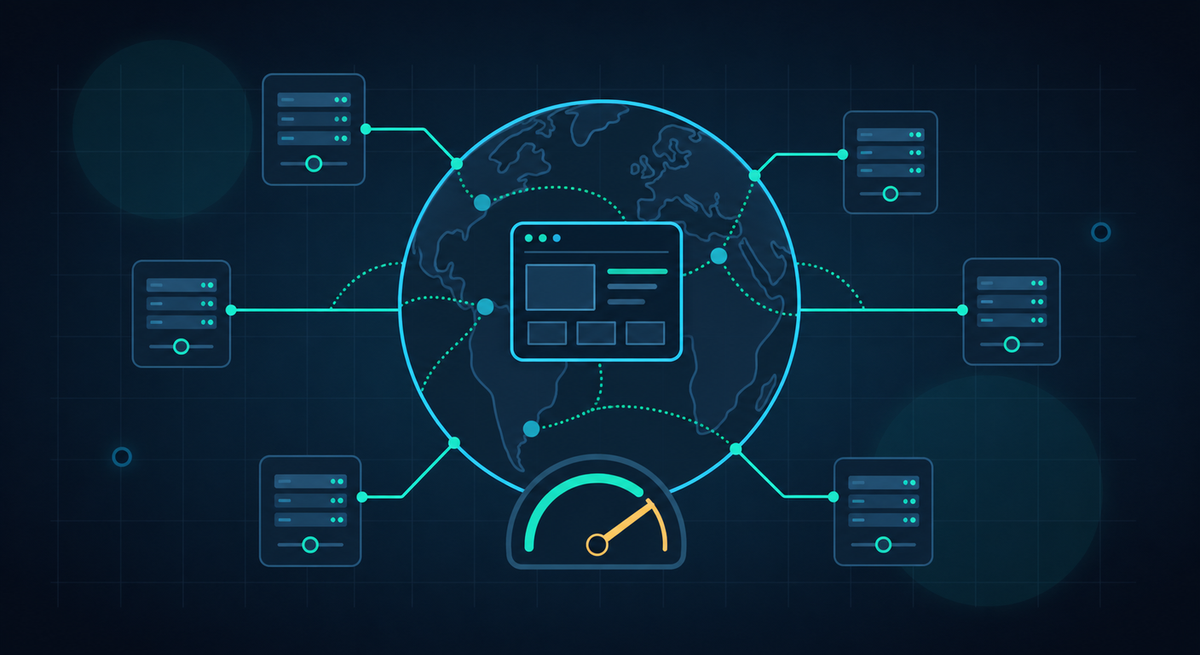
A CDN (short for Content Delivery Network) is a global network of servers that store cached copies of your website’s static files. These files include things like images, CSS stylesheets, and JavaScript. Instead of every visitor fetching those files from your main web server (called the “origin server”), a CDN serves them from whichever server is geographically closest to that visitor.
That means faster load times for people wherever they are in the world, without you having to set up servers in multiple countries yourself.
How Does It Work?
Here’s a simple way to think about it. Imagine a popular product that’s only available from one central warehouse. Everyone who wants it has to travel to that warehouse to pick it up, no matter how far away they live. That’s slow and inefficient.
Now imagine the company places that product in local stores all over the country (and the world). Suddenly, everyone can get it quickly from somewhere nearby.
A CDN works the same way for your website. Your static files are pre-positioned on servers around the world. When someone visits your site, those files are delivered from the nearest server rather than from your origin server thousands of miles away. The experience is faster, smoother, and more reliable.
Key Benefits
Using a CDN brings several real advantages for your website:
- Faster load times globally: Images, scripts, and stylesheets load quickly for visitors anywhere in the world, not just those near your hosting server.
- Less strain on your origin server: Because the CDN handles most file requests, your main server has far less work to do. This keeps it stable even during traffic spikes.
- Built-in DDoS protection: A DDoS (Distributed Denial of Service) attack tries to overwhelm your server with fake traffic. CDN networks like Cloudflare are large enough to absorb these attacks before they reach your site.
- SSL/HTTPS included automatically: A CDN like Cloudflare provides a free SSL certificate, so your site runs securely over HTTPS without any extra setup.
- Better Core Web Vitals scores: Google uses Core Web Vitals (measures of speed and responsiveness) as a ranking factor. A CDN directly improves these scores, which can help your search engine visibility.
Cloudflare: The Go-To for Small Businesses
There are many CDN providers out there, but for small businesses, Cloudflare stands out as the best starting point, and it’s genuinely free.
Cloudflare’s free plan includes:
- A full CDN for faster global delivery
- DDoS protection at scale
- A basic web application firewall (WAF)
- Automatic SSL/HTTPS for your domain
One important thing to know is that you don’t need to change your web hosting provider to use Cloudflare. It sits in front of your existing host, acting as a middleman between your visitors and your server. Your hosting stays exactly where it is.
For most small business websites, the free tier is genuinely more than enough. You only need to consider a paid plan if you have very specific or high-volume needs.
How to Set Up Cloudflare on a WordPress Site
Setting up Cloudflare is straightforward. Most small businesses can complete the process in under an hour. Here’s how:
- Add your domain to Cloudflare: Create a free account at Cloudflare and add your website’s domain name. Cloudflare will scan your existing DNS records automatically.
- Update your nameservers: Cloudflare will give you two nameserver addresses. Log in to your domain registrar (the company where you bought your domain) and replace the existing nameservers with the ones Cloudflare provides. This tells the internet to route traffic through Cloudflare.
- Wait for propagation: DNS changes can take a few minutes to a few hours to take effect worldwide. Cloudflare will notify you once your domain is active.
- Install the Cloudflare WordPress plugin: In your WordPress dashboard, search for the official Cloudflare plugin and install it. Log in with your Cloudflare account to connect the two.
- Enable basic performance settings: Inside the plugin (or directly in your Cloudflare dashboard), turn on settings like “Auto Minify” for CSS and JavaScript, and enable caching. The default settings work well for most sites.
That’s it. Once active, Cloudflare will start serving your static files from its global network immediately.
Do Local Businesses Need a CDN?
You might be thinking: my customers are all local, so do I really need a CDN?
The short answer is yes, and here’s why.
Even if all your customers are in the same city or region, a CDN still improves load times for them. Cloudflare has servers in most major cities, so local visitors will still benefit from faster file delivery compared to fetching everything from a distant hosting server.
Beyond speed, the DDoS protection and automatic SSL are valuable for any business, regardless of geography. A small local business is just as likely to be targeted by automated attacks as a large one, and just as likely to lose customers if its website goes down or shows a security warning.
When a Paid CDN Plan Is Worth It
For the vast majority of small business websites, Cloudflare’s free plan covers everything you need. But there are situations where upgrading to a paid plan makes sense:
- Very high traffic volumes: If your site receives tens of thousands of visitors per day, you may benefit from advanced caching rules and analytics.
- Video content delivery: Streaming video has specific requirements that go beyond standard CDN caching. Paid plans (or specialist video CDNs) handle this better.
- E-commerce with a global customer base: If you’re selling internationally and need advanced security rules, load balancing, or custom firewall policies, a paid plan gives you more control.
For most small businesses (a local service, a restaurant, a portfolio site, a small online shop), Cloudflare’s free plan is more than enough to make your site faster, safer, and more reliable.
I set up Cloudflare as part of the hosting and performance work on the sites I build. Send the project brief with your domain, current host, and where your visitors are based.